Dan Heyman and Jess Perez each run their own app startup. They’re also a couple. As two entrepreneurs living under one roof, they use their relationship to their advantage, helping each other’s startup grow.

Both Heyman and Perez came from backgrounds that, in hindsight, were clear paths to entrepreneurship. Heyman graduated from Columbia, studied at MIT’s business school for a year, and then started working for Demeter, a support network that helps entrepreneurs create businesses in developing countries. There, he learned about the ins and outs of entrepreneurship, and encountered a major problem that his company dealt with on a regular basis: maintaining and updating the contact list of important clients.

Perez modeled professionally for most of her working life. She had to market her brand (her image and personality) to clients in order to book jobs. Although Perez always had a business plan with her managers, she found it difficult to keep track of her earnings as she traveled around the world for work. And she noticed this problem was common among models.

The Startup Couple- Two App Developers Pair Off2

The couple first met in February 2014, when Perez approached Heyman at a party, and they hit it off right away, bonding over their travels abroad and mutual interest in entrepreneurship. At that point, Heyman’s app Stack AI, which organizes contact lists for small businesses and entrepreneurs, was still in its infancy stage. Perez saw Heyman and his business partner working and thought, “If these two goons can start a business, I can too.” She began to envision her own app, Tycoon, a personal finance-tracking app for fashion models and freelancers.

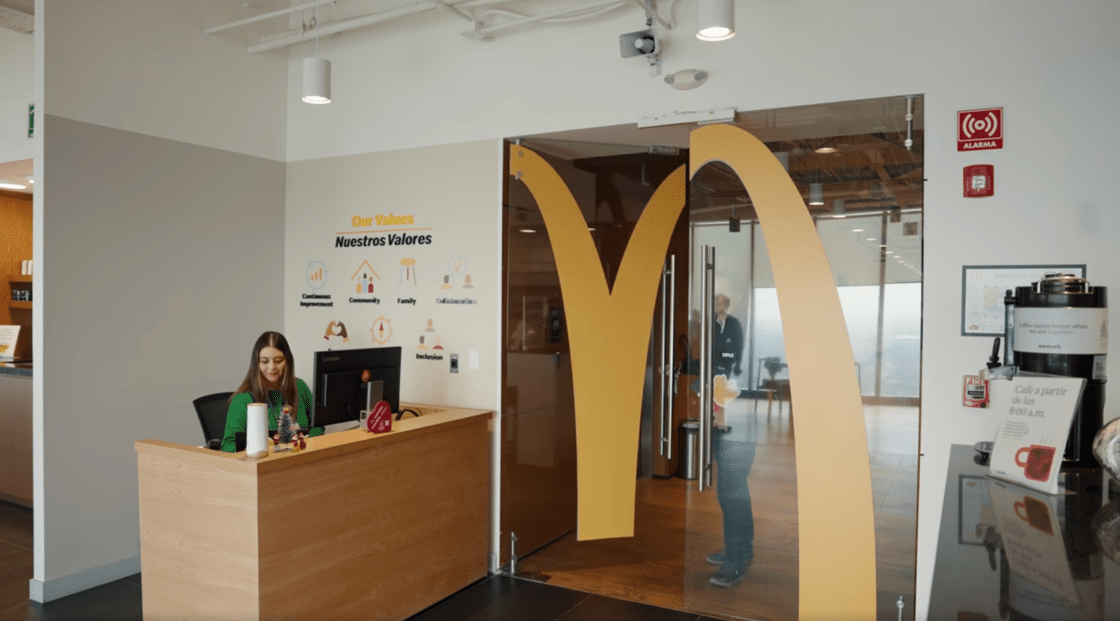
Perez founded Tycoon in August 2014 and now works at the Columbia eLab within WeWork Soho, in the same building as Heyman.

As a couple running their own startups, Perez and Heyman face a lot of challenges, but use each other for moral and professional support.

From Tycoon’s beginnings, Perez used Heyman as a resource to find app developers and designers, while Heyman himself helped with the initial mockups for the app. He also advises Perez when she has meetings with investors, and uses his professional network to introduce her to important contacts. Heyman, on the other hand, uses Perez as a beta tester for Stack AI.

The Startup Couple- Two App Developers Pair Off3

“Jess is a phenomenal beta tester,” says Heyman. “She has some very strong opinions of where we should go with the app.”

Perez is fiercely invested in the success of Heyman’s app, and commits time to give him feedback and suggestions.

“I think that they should make a feature change, and I strongly believe it,” she says. “But sometimes I need to step away from beta testing because I get emotionally invested.”

Reflecting on her relationship with another entrepreneur, Perez says, “We’re either going to be the power couple or the broke couple.”

Photo credit: Emanuel Hahn

Share on FacebookTweet about this on TwitterShare on LinkedInPin on PinterestGoogle+

A total of 17 organizations — ranging from a group that sponsors theater productions in a women’s prison to a company that markets vintage athletic shoes — were among the winners at WeWork’s Creator Awards, held last week in Detroit.

There were three categories of Creator Awards, including the Incubate Award for great ideas or specific projects that need funding, and the Launch Award for young businesses and organizations that need a little help getting off the ground. The third, the Scale Award, is for more established operations aiming to get to the next level.

Sponsored by WeWork, the Creator Awards gave out $1.5 million at its event in Detroit. Over the course of a year, WeWork will be giving out more than $20 million in cities spanning the globe.

Incubate Awards

$36,000

Arkiv

Chicago Biofuels

Detroit Public Theatre’s Shakespeare in Prison

Exoneree

Feedback App

GirlForward

Jovan Landry

On the Town Riddles

Mommy Monitor

Studio Variously

Launch Awards

$130,000

Assemble Sound

$72,000

Brave Initiatives

Luna Lights

Victor App

Warmilu

Scale Awards

$360,000

Bunker Labs

$180,000

Imerman Angels

The Empowerment Plan


Share on FacebookTweet about this on TwitterShare on LinkedInPin on PinterestGoogle+

Garret Koehler and his business partners were about two weeks away from having to come up with a $70,000 payment on the building housing their recording studio Assemble Sound. And they had no idea how they’d manage to find the money.

It wasn’t just any building — it was an historic church dating from 1872 that anchors Detroit’s Roosevelt Park neighborhood. It has become something of a sanctuary for musicians looking for a place to jam, record, or just hang out with like-minded souls.

So Koehler pitched the company at the Creator Awards, held this week in Detroit. And he was “totally in shock” when Assemble Sound became one of the evening’s big winners. The $130,000 prize was enough to pay off the building entirely, securing the company’s future.

“It’s impossible to express how grateful we are,” said Koehler. “Everybody on the stage was so brilliant and passionate. We were just lucky to be up there with them.”

Sponsored by WeWork, the Creator Awards gave out $1.5 million at its event in Detroit. Over the course of a year, WeWork will be giving out more than $20 million in cities spanning the globe. The next event is scheduled to take place in Austin this June.

Detroit Creator Awards-2The evening was cosponsored by Quicken Loans, which gave out its own awards for Detroit Demo Day. All in all, more than $2.5 million went to entrepreneurs from as far away as Chicago and Toronto.

Along with Assemble Sound, many of the night’s winners had mission statements that promote doing good, along with making a profit. WeWork founder Adam Neumann echoed this theme when he took the stage.

“We’re now in a world where things need to change,” said Neumann. “We need to take the best from the non-profit world and the for-profit world and bring them together and have an organization that’s for more than profit.”

Another notable winner of the evening was the Ann Arbor-based Warmilu, whose product is designed to regulate the body temperature of babies born prematurely.

“I can’t describe how awesome I feel right now,” said the company’s CEO Grace Hsia. “It’s like I went to the moon and back with Elon Musk.”

Detroit Creator Awards-3The Creator Awards and Detroit Demo Day culminated with two simultaneous awards ceremonies — one at the elegant Gem Theatre, the other at Cadillac Square. Frequent drizzle didn’t dampen the enthusiasm of the crowd, which stayed for the after-party featuring a performance by rapper Wyclef Jean.

There were three categories of Creator Awards, including the Incubate Award for great ideas or specific projects that need funding, and the Launch Award for young businesses and organizations that need a little help getting off the ground. The third, the Scale Award, is for more established operations aiming to get to the next level.

The winners in the Incubate category — all of whom took home $36,000 for their organizations —include Tom Denison of Exoneree, Robert McHugh of Chicago Biofuels, Anjali Purohit of Studio Variously, Frannie Shepherd-Bates of the Detroit Public Theatre’s Shakespeare in Prison Program, Kris Caster of On the Town Riddles, Robert Mulokwa of Arkiv, and Elsie Amoako of Mommy Monitor. One of the most unique projects winning in this category is being spearheaded by Jovan Landry, who wants to create a hip-hop album entirely by women.

Incubate Award winner Josh Walters is cofounder of the Toronto-based company Feedback App, which aims to eliminate wasted food at restaurants by giving them a way to sell it at deeply discounted prices. He says the financial support from WeWork will help him and his cofounder finish the behind-the-scenes work on their platform.

By the end of the summer, we want to launch with more than 100 restaurants on our app,” Walters says. “I think we’re going to reach that number sooner rather than later. The prize money from WeWork will help us make sure we’re ready to go.”

Another winner is Emily Kane, director of education at GirlForward. Her passion is creating workbooks and other materials for immigrant teenage girls who are learning English.

“We’ve already created a prototype,” says Kane. “Winning a Creator Award will help us get to the next step: distributing it to schools this fall so we can ask teachers and students what they like and what they don’t like.”

In addition to Assemble Sound and Warmilu, Launch Awards winners include Victor App, Luna Lights, and Brave Initiatives. Each company received $72,000.

In the Launch Awards category, Chicago-based non-profit Bunker Labs won $360,000 for its national program to help military veterans start and grow businesses. Other winners were The Empowerment Plan and Imerman Angels, both of which won $180,000.

Detroit Demo Day’s nine winners included Good Cakes and Bakes, which took home $200,000, and the Social Club Grooming Company, which also netted $200,000, as well as an additional $25,000 for the audience choice award.

Winners from each Creator Awards event will come together for the global finals, which will be held in New York City on November 30.

Photos by Katelyn Perry


Share on FacebookTweet about this on TwitterShare on LinkedInPin on PinterestGoogle+

How To Launch An App

Launching an app is a major achievement for any company. However, getting to this point and making the most of your app takes immense planning and resources, especially if you want to see all your hard work pay off. Find out how to launch an app successfully and what to do before and after the launch.

If you’re preparing for your first major app launch, you might be tempted to focus solely on software development and technology issues. After all, when you’re developing the best app in your industry, you want to get it right and wow your audience. Any startup founder who’s developed an app before knows that much more goes into a launch than unique vision and immaculate coding, though.

When you debut an amazing app, you need to make sure it’s going to generate the results you want. Sit down with your team as early in the process as possible to think about these essential aspects:

  • Access: It isn’t realistic to make your app available everywhere, but you need to make sure that your target audience can get their hands on it.
  • Marketing: Apps rarely sell themselves, so you’ll need both a budget and a plan for marketing your product.
  • Metrics: You’ll never know if you’re hitting your goals or if your app is a success without tracking analytics.
  • Intellectual Property: It may be impossible to protect your intellectual property after announcing your app launch, so start this process as early as possible.

Launching An App Dos & Dont’s

Whether this is your first or your fifth app launch, you don’t want to waste time or money on missteps. Make note of these dos and don’ts as you devise a plan for an app launch that gets attention and generates conversions.

Do Conduct Market Research

If you’ve worked in your industry for long, you might think that you know your target audience well. But how much do you really know, aside from generalizations? To ensure that your app makes the conversions you expect, you need reliable data about your target audience.

Market research is essential before launching or even developing an app, so start early. Know who will use your app, how they will benefit, and how you can reach these users. Understand which mobile platform your target users prefer, and make sure you’re planning to launch in the right place.

Don’t Forget to Protect Your Intellectual Property

Your IP could be worth millions, but it becomes harder and harder to protect this investment the longer you wait. Consider talking with an IP attorney early in your app development process to understand what your options are.

For instance, a copyright can protect your rights to your app’s source code and images, but it won’t protect the ideas behind them. A trademark covers your rights to your branding and could be a worthwhile pursuit if you’re planning to build your image and profit from your brand. A patent gives you exclusive rights to the app’s functions and can help you turn your app into an empire. A patent is time consuming and expensive, so make sure it’s the right choice before moving forward.

Do Generate a Marketing Plan Months in Advance

When it comes to developing flagship products for your startup, marketing should never be an afterthought. Work with your marketing team to develop a coherent plan months in advance, and don’t leave out any of the platforms that your target audience uses.

Start by securing your handle of choice on each social platform and using them to create buzz. You may not have rave reviews to share on your social profiles yet, but you can use them to share graphics, screenshots, and exclusive video content. Build up a social following now, and you can rely on these channels to generate installs and buzz after your launch.

Take the time to create a landing page or a microsite, too. Not only will this serve as the primary online space for users to get official information about your app, but you can also use a landing page to build your mailing list. Even if you’re months away from launch, you can collect email addresses for interested users and keep them up to date on the latest developments with your app.

Don’t Underestimate the Power of App Evangelists

Some of the most successful apps begin their first stages of marketing a year out from the anticipated launch date. If you start early, you can use your team’s marketing skills to attract app evangelists, even if you don’t have a beta tester ready to share.

When you do have exclusive content, exciting news, or a beta version to share, make sure that the people who have signed up for your mailing list or engage regularly with your social profiles get the information first. These app evangelists can do some of your marketing for you, so don’t underestimate their excitement or their reach.

Do Optimize Your App Store Listing

Even a great marketing plan can’t overcome a bad app store listing. After all, users need to be able to find your app after a basic search, otherwise you may lose the chance to convert them.

App store optimization (ASO), much like search engine optimization (SEO), relies on a combination of keywords, titles, and traffic in its ranking algorithm. You’ll need to choose the right title, include appropriate keywords, choose the correct app category, and generate tons of traffic to rank at the top.

Don’t Neglect to Understand the Limitations of the App Store

Both Google Play and the Apple app store have their fair share of limitations, and you need to know what you’re up against. For instance, both app stores can take several days to review and approve your app, so you should factor this into your launch timeline.

In addition, if you’re planning to convert your free app to a paid app down the road, make sure that the app store you’ve chosen allows for that. Otherwise you may have to build your user base from scratch.

Do Know What Success Means to You

When you launch your app, you know that you want to get a ton of installs and lots of daily users. But what kinds of numbers and conversion rates are you really targeting?

Success looks different for each startup, so make sure you know what you’re aiming for. If your business plan calls for you to achieve 100,000 users within the first week of launch and retain 50 percent daily users over the first month, you’ll know whether it’s time to celebrate or if you need to work harder to reach your goal.

Don’t Ignore Paid Advertising Opportunities

It isn’t unusual to want to convert users for free, but that doesn’t mean you should ignore paid advertising opportunities. To determine whether social or online ads are worth your while, calculate the value of each user and know what you’re willing to pay for each conversion. Know where your target users spend their time so you can place paid ads in the spots that will generate the highest conversion rates.

Do Make a Plan for Introducing New Features and Updates

App evangelists and casual users alike can become frustrated quickly if your app doesn’t work the way they think it should or if it doesn’t make good on its promises. You may be working on bug fixes and new features behind the scenes, but users won’t know if you don’t announce your plans.

Work with your team to devise a plan and a timeline for introducing updates and features, and keep your users in the loop. You’ll build trust and generate excitement, both of which can help your app.

Don’t Resist Feedback

Your industry network and colleagues at your shared office space will undoubtedly provide you with much-needed feedback about the features and functionality of your app. But don’t let the feedback stop there.

Have a plan for encouraging app reviews, tracking user comments in the app store, and responding to social mentions. Making the most of your feedback can boost your marketing strategy and will also demonstrate how engaged your startup is. Remember that even negative feedback can help your app, as long as you handle it appropriately.

Developing an app is never something you should take lightly, especially if the future of your startup depends on its success. Keep these dos and don’ts handy to optimize your next app launch and help your startup get the attention it deserves.


Share on FacebookTweet about this on TwitterShare on LinkedInPin on PinterestGoogle+

If you want to find new job opportunities, LinkedIn offers one of the most effective tools. It’s a social media platform built around businesses, job seekers, and entrepreneurs, but if your LinkedIn profile doesn’t attract potential contacts, it’s a waste of your time. Fortunately, you can improve your LinkedIn profile in just a few easy steps, whether you’re starting from scratch or revising an old profile.

How To Improve Your LinkedIn Profile

Think of your LinkedIn profile as your first introduction to a potential employer or partner. These days, people often “meet” online, even when it comes to business, and you know what they say about first impressions. You want your LinkedIn profile to stand out among your competitors and to showcase your most attractive skills, qualities, and experiences.

Add Your Photograph

The first step toward a more engaging LinkedIn profile starts at the top of the screen. If you see a blank box, you need to add a photograph right away. People respond more strongly to images than to words, and they like to put faces to names. Adding a photograph to your profile can increase the number of times it gets viewed, help acquaintances recognize you, and add more engagement to the page. Keep in mind that other people might share your name and even your job title. A photograph makes you more recognizable.

However, don’t use your favorite summer vacation photograph. You might look great in a swimsuit on the beach, but an image like that won’t help you find jobs and opportunities. If possible, get a professional headshot. You can hire a freelance photographer or visit a studio to get your portrait taken. Alternatively, select a neutral background, such as a brick wall, and ask a friend or relative to take a picture.

Start With an Elevator Pitch

It’s called a summary on LinkedIn, but it’s really an elevator pitch: a short, effective narrative that tells other people why they should give you a second look. Your summary should serve as a highlight reel of your most impressive skills, accomplishments, and experiences. While you shouldn’t downplay your assets, neither should you brag about your incredible knowledge and attributes. Keep the wording humble to avoid turning off potential employers.

The elevator pitch should include as many quantifiable facts as possible. Numbers work well here, such as the following:

  • I increased revenues by 62 percent in 12 months for [Company Name].
  • At [Company Name], employee retention doubled under my management.
  • For three years, I oversaw a project with a $3 million budget.

Try to avoid jargon and overused phrases in your summary. You can write in either the first or third person, but stay consistent with whichever you choose. You don’t want to refer to yourself in the third person in one sentence, then begin the next sentence with “I.”

Give Endorsements and Recommendations to Contacts

LinkedIn isn’t just a place to post your resume. It’s an interactive platform like any other social media service, except that instead of sharing what you ate for dinner last night, you share information about colleagues, partners, and associates. Specifically, you can endorse and recommend your contacts to give them more visibility and to improve their chances of finding opportunities.

An endorsement is your statement that a contact possesses a certain skill that he or she lists in his or her profile. It just takes one click to send an endorsement, and you don’t have to write anything to support your endorsement. You can only endorse skills that the benefactor lists, and the contact will see your endorsement once you submit it.

A recommendation works differently. It’s a written statement that recommends your contact to other people. You might tell an anecdote about your experience with that person or praise a specific skill or personality trait that might make him or her more attractive to others.

While giving endorsements and recommendations might not seem helpful in terms of your profile, it can prove beneficial down the line. When you give recommendations and endorsements, your contacts might feel compelled to reciprocate. The more you interact with your LinkedIn contacts, the more activity your own profile will see.

Leave Groups That Don’t Provide Value

You might feel obligated to join every group related to your field of expertise, but resist the temptation. You can’t possibly stay active in dozens or hundreds of groups, so leave all groups that won’t provide you with any value. Focus instead on groups in which you can actively engage with others and find new opportunities.

How To Create A Good Linkedin Profile

If you’re just starting out with LinkedIn, creating a good LinkedIn profile will pave the way for success. You want to make a good impression and include only relevant information.

Keep Your Current Responsibilities Updated

Start with your responsibilities. Every time you change jobs or receive a promotion, your responsibilities change. Update these regularly so your contacts can see how your career has evolved. The same goes for your skills. When you acquire a new skill, add it to your profile so others can endorse it.

When you first open a LinkedIn account, don’t list every job responsibility you’ve ever had. Curate the list to include only the most impressive items. Otherwise, your profile will look too cluttered and unfocused, which can turn off potential employers.

Curate Your Skill Set

Many skills have become so overused that they no longer hold any meaning. These could include the following:

  • Time management
  • Attention to detail
  • Organization
  • Communication
  • Problem solving

Instead of resorting to clichés, think carefully about your personality and skill set. What do you bring to the table that others don’t? What sets you apart from your competition?

Think in granular terms based on your industry. While you want to avoid jargon, try to relate each skill you list to the type of job you hold or want. That way, potential employers can find you easily based on what they want in a prospective employee.

Follow Authorities in Your Industry

As mentioned above, LinkedIn should have a social component if you want to gain any benefit from it. Follow authorities in your industry and pay attention to what they post. When you follow someone, you become part of his or her audience on LinkedIn, and you might meet new connections this way.

Additionally, authorities often have extensive experience on LinkedIn. You can review their profiles, publications, and other information on the website to find out how they use the service. You might pick up new tricks or strategies that can help you improve your own profile. Whether you work in Denver as a graphic designer or New York City as an engineer, you can tailor your LinkedIn profile to your specific goals.

Write a Custom Headline

When you change jobs, your headline reverts to your job title on LinkedIn. This isn’t the best way to garner favor with potential contacts. You want a custom headline that reveals something about your personality, skills, and experience. For the best results, follow this simple formula:

  1. Tell users what you do.
  2. Explain who you help with your expertise.
  3. Mention why you’re involved in your industry.
  4. Add evidence of your skills or experience.

For instance, your headline might look like this:

“Graphic designer and computer programmer who helps companies develop outstanding web presences. Clients include [well-known brands].”

The above headline is far more intriguing than one that simply says “Graphic Designer and Computer Programmer.” You’re selling not only your job description, but also your experience and motivation.

Know Your Audience

The language you use on your LinkedIn profile might change depending on what you want to accomplish. If you’re a job seeker, for instance, you’ll focus on attracting new opportunities. Business owners, meanwhile, might use LinkedIn to attract potential employees, connect with vendors, or expand their employment brand. Tailor your language to meet your specific goals.

Personalize the URL

You have the option to create your own LinkedIn URL. It’s the words or numbers that appear after www.linkedin.com/, and a personalized URL is easier to remember and much easier on the eyes. You can use your name if it isn’t already taken. Alternatively, combine your name with your industry or skill set. Avoid using a specific job description because you can’t change your URL later, but you might change jobs.

Creating and maintaining a LinkedIn profile doesn’t take much work, but it’s essential for the modern job seeker.

Share on FacebookTweet about this on TwitterShare on LinkedInPin on PinterestGoogle+