


There’s a way to work from a professional WeWork space whenever you need one: a desk for the day, a private office for focused work, or a meeting room by the hour. Start with a single booking, and make it part of your routine as your needs grow.
That’s WeWork On Demand in short. Before you book, it helps to know the practical bits: when the doors open, what a day pass covers, how to change a booking, and what to expect on your first visit.
What WeWork On Demand is
WeWork On Demand offers pay-as-you-go workspace: book a desk or private office for the day, or a meeting room by the hour, with no ongoing membership required. You choose the space and booking that fit your needs, with the flexibility to book again whenever you need it. It’s available at 300+ locations across 70+ major cities, spanning North America, Europe, Asia Pacific, and Latin America.
Think of it as a commitment-free way to experience a location before deciding on a membership. It’s a standing arrangement in its own right: if you need a professional space six times a year, simply book each visit.
Three ways to book a space
On Demand covers three booking types, and each answers a different need.
A coworking day pass gets you into the shared space for the full business day: hot desks, lounges, meeting booths, pantries, and phone booths. This is what a day pass usually refers to.
A daily private office gets you a private room for the full business day plus the location’s shared amenities. It’s built for a Wednesday with four back-to-back calls and a contract that needs reading, where a door that closes solves both.
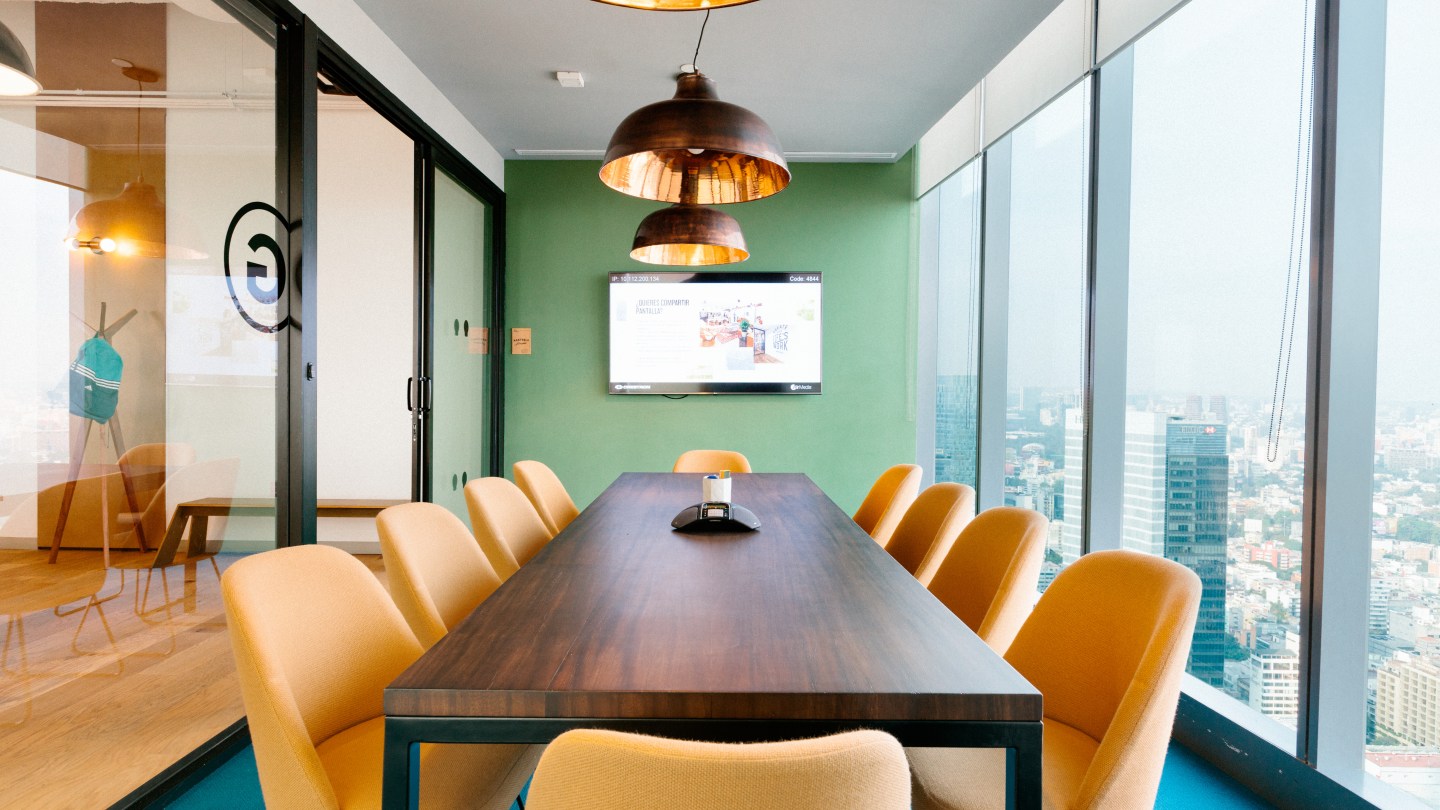
A meeting room is booked by the hour rather than the day. You reserve the room for a set period, and the price depends on the specific room. Total attendees, including you, can’t exceed the room’s stated capacity. Configurations and equipment vary from one location to the next, so check the listing for the room you’re considering.
How On Demand pricing works
What does a day cost? The answer is, it depends.
Coworking day passes and private offices are charged per workspace per day. Meeting rooms are priced room by room, based on capacity, amenities, and location: for example, a small huddle room and a large boardroom in the same building have different prices.
To see what a specific space costs, open it in the WeWork app or on Member Web. You’ll see the exact price for your chosen space and date before you book, and nothing is charged until you do.
Booking, checking in, getting to work
Start with an account. Create one on WeWork’s Member Web with an email and password, or download the WeWork app on iOS or Android. From there, the sequence is short:
- Find a location. Search for a workspace near you or in the app.
- Book your workspace. Reserve a desk by the day or a meeting room by the hour.
- Get to work. Greet the onsite community team when you arrive and check in.
Payment happens at confirmation, by credit or debit card.
Your first visit has one extra step. Bring a valid government-issued photo ID and check in with the community team at the community bar. You’ll be given a keycard, and that keycard carries your future reservations.
Your keycard activates 20 minutes before your reservation begins, so arriving a little early is fine. Bookings run the full business day, open to close, and you’re free to leave and come back for lunch or a client meeting. Locations are generally open 9:00 a.m. to 6:00 p.m. on weekdays, excluding local public holidays.
What’s included at every location
Every booking comes with the same amenities and services, whichever space type you choose:
- High-speed Wi-Fi
- Unlimited coffee and tea
- Private phone booths
- Onsite community team support
- Lounges, pantries, and common areas
- VC equipment in meeting rooms
Beyond that, locations carry what you’d expect from a WeWork space: kitchens, wellness rooms, professional networking events, and keycard security throughout.
One thing to budget for separately: business-class printing and scanning are available, but they carry an additional fee on top of the booking. If your day involves a stack of contracts, factor that in.
Using On Demand in another city
The same account works everywhere On Demand does. Traveling to a different country? Just book a space the way you would at home, with no second sign-up and no local account to set up.
Coverage runs across North America, Europe, Asia Pacific, and Latin America, with 70+ major cities in the network. What’s more, thousands of partner spaces are bookable through the same app.
Plan around the hours. On Demand runs weekdays only, and local public holidays close locations too, which is worth checking before you count on a Friday desk in a city whose calendar you don’t know by heart.
Changing, cancelling, and rebooking
Bookings are made one day at a time. There’s no bundle that covers an entire week, so three days in the office means three separate pay-as-you-go reservations. The same office can be held and booked up to 30 days in advance, which gives you flexibility to lock in dates you already know about.
Teams work the same way. Individual bookings are tied to personal accounts, with each person booking and managing their own reservation. One person can’t book on behalf of the group.
Cancellations are straightforward. A booking is fully refundable when you cancel at least 24 hours before your reservation starts. Booked something for today and caught the mistake immediately? There’s a 5-minute window right after the original booking that also qualifies for a full refund.
To cancel, open your upcoming reservations in the app or on Member Web, select the booking, and confirm.
When All Access makes more sense
On Demand is built for occasional use. If you’re booking a desk most days of the week, the math stops working in your favor, and WeWork All Access is the better fit: a monthly membership with unlimited drop-in access across 450+ locations.
Side by side, the differences are simple.
| WeWork On Demand | WeWork All Access | |
| Locations | 300+ in 70+ cities | Plus: 450+. Basic: 100+ |
| Commitment | None, pay per booking | Month-to-month or 3-, 6-, 12-month plans |
| Shared amenity access | Yes | Yes |
| Your own assigned desk | No | No |
| 24/7 building access | No | No |
Coverage is worth checking too, because All Access reaches locations On Demand doesn’t. If On Demand isn’t available where you are, an All Access membership may still be.
Moving between them is simple. You can upgrade from On Demand to All Access directly in the app or on Member Web, without a sales call.
Booking your first day
If a day in a flexible workspace would fix something about this week, the path there is short. Download the WeWork app or open Member Web, search your city, pick a location that suits you, and reserve your date. Bring your photo ID the first time, arrive a few minutes early, and the community team takes it from there.
After that, booking becomes second nature: one day, one reservation.


